
Shopify order risk · Store operations
Shopify Order Risk Review Workflow for Growing Stores
By DisputeShield Team · Published 2026-08-31 · Last updated 2026-10-22
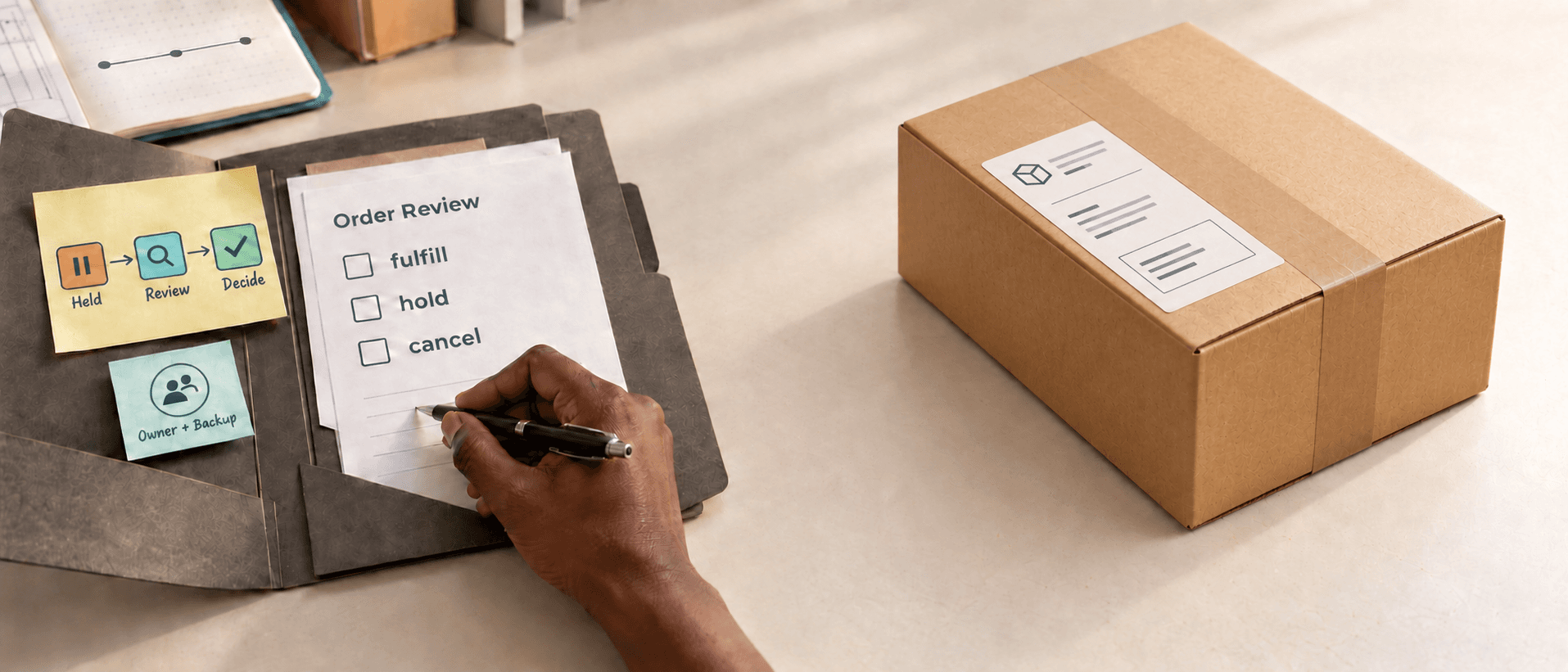
If your store is growing, you have probably reached the point where one person can no longer keep every flagged order in their head. A single owner checking orders from memory works until that person is away, order volume climbs, or a second teammate needs to pick up a hold. A written Shopify order risk review workflow turns personal judgment into a process the whole team can follow, audit, and improve without turning every unusual order into a fraud investigation.
This article is a team operating manual. It covers what your reviewers should check, who owns each held order and by when, what records to keep, when to escalate, how to protect the customer while the review runs, and how to measure whether the workflow is actually helping.
Why a growing store needs a written order-risk review process
A growing store often starts with one person checking every unusual order. That arrangement is fine at first. It breaks when the owner is on vacation, when volume outpaces one person's capacity, or when a teammate must make a decision without the context stored in the reviewer's head.
A written workflow turns that personal judgment into a shared process. Any trained teammate can follow it, the decisions become auditable, and the store stops depending on one person's availability. The goal is not to cancel more orders. It is to make sure every held order moves toward a deliberate decision by a named owner.
Define what your team checks, from the data you actually have
Start with Shopify's Order risk information. For eligible online credit card orders, that includes fraud indicators and a fraud recommendation that signals low, medium, or high risk of a chargeback due to fraud. A medium- or high-risk order is flagged in the Orders list with a warning symbol next to the order number.
Some orders never receive a recommendation, such as test orders, free orders, orders paid in full with a gift card, Point of Sale orders, B2B orders, and subscription renewals. Those orders are unassessed, not low risk, so your team needs a documented policy for them too.
From there, add only store-specific signals your team can consistently access:
- Order value and order stage
- Fulfillment state, including whether fulfillment has already started
- Customer history available to the merchant
- Shipping details and any address changes after checkout
- Repeated order patterns, such as a burst of similar orders from the same device or IP
Keep the list tight. A policy that depends on information nobody can verify will not be reliable, and reviewers will start skipping steps.
Assign an owner, a backup, and decision deadlines for every held order
Every held order needs one named reviewer and one backup owner. The backup matters because the primary reviewer will be unavailable sometimes, during time off, a busy fulfillment window, or an unexpected absence. Without a backup, an order either sits paused indefinitely or ships without a decision.
Set an internal review deadline that your team can realistically meet, such as a same-business-day or next-business-day target. The deadline exists so an order never ships without a decision and never sits in limbo. Your team should agree on a target it can actually hit rather than an aspirational one it will miss.
Use three outcomes, and document the conditions for each:
- Fulfill when the order fits normal patterns and the available records support proceeding.
- Hold when the order needs more investigation, such as customer verification or a second opinion.
- Cancel or refund only when the documented policy and available facts support that action.
Write down the conditions for each outcome so the decision does not depend on who happens to be reviewing that day.
Build the review queue around decisions, not alerts
A risk queue becomes useful when every item has a next action. When a teammate opens a held order, they should see four facts immediately:
- Why the order was held
- Who owns the decision
- When it must be reviewed
- What decision options are available
An alert without ownership is just another notification the team will ignore. Use a small number of review states: new, investigating, waiting for customer information, approved to fulfill, and canceled or refunded. The states make work visible and push each order toward a decision.
If you automate the routing, use the right trigger. Review workflows that rely on completed fraud analysis should use the Order risk analyzed trigger rather than Order created, because fraud analysis finishes after the order is created. Workflows that start on Order created can run before the analysis is available.
Record observed facts separately from the reviewer's judgment
Your review note should distinguish what the store observed from what the reviewer concluded. "Shipping address differs from billing address" is an observation. "Customer is fraudulent" is a conclusion the available order data may not support. Keeping that distinction improves handoffs between teammates and reduces unfair assumptions about legitimate customers.
For every held order, record:
- The observed signal that triggered the review
- The policy rule that was triggered
- The decision and the reason for it
- The owner and timestamp
- The next review date, when applicable
If the reviewer overrides the normal rule, write down why so the next teammate can continue without starting over. Overrides are not failures; they are decisions that later reviewers need context to understand.
Create escalation rules for difficult orders
Not every order should be decided by the same person. Define when a reviewer must ask for a second opinion, for example, a high-value order, a sensitive product, a repeated customer complaint, or an order that does not fit an existing rule.
Escalation must have a response-time commitment. More importantly, it must close with a decision. The escalation owner reviews the same evidence and either approves fulfillment, extends the hold for a defined reason, or cancels according to policy. Asking a teammate to "take a look" without specifying the decision needed is not escalation; it is deferral.
Protect the customer experience while the review is running
Risk review affects real customers. A delayed order can be a birthday gift, a replacement for a broken item, or inventory a business needs urgently. Use neutral language with the customer, and give support a clear explanation that does not expose internal scoring or accuse the customer.
If the order is released, fulfill it promptly rather than leaving it in the queue. If it is canceled, explain the next step through the store's normal process and follow the applicable refund procedure.
Measure whether the workflow is helping
Track, at minimum:
- Orders held as a percentage of total orders
- Average time to decision
- Overdue holds
- Release rate
- Cancellation rate
- Later disputes on reviewed orders
- Customer contacts caused by review
These numbers show whether the policy is protecting the store without creating more delay and expense than the team can accept. Review them monthly using real outcomes.
Read the examples behind the numbers before changing the policy. A high release rate can mean the rule is too broad, or it can mean the team is correctly catching unusual but legitimate orders. A high cancellation rate can mean the rule is too aggressive, or it can mean the store happens to be attracting more fraud this month. Do not assume the meaning from the rate alone.
Change one rule at a time so you can tell what improved. The goal is not to maximize cancellations. It is to reduce avoidable exposure without making good customers prove themselves unnecessarily.
Keep the review humane as the store grows. If a customer is waiting, make the delay visible to support. If a teammate makes an exception, capture the reason without blaming them. The best workflow gives people enough structure to act consistently while leaving room for judgment when an order does not fit a simple rule.
Connect the review record to later dispute work
A good review record helps if a dispute opens later. Keep the relevant order decision, fulfillment facts, delivery records, and customer communication connected to the order. Do not copy entire customer histories into a separate document; retain only the information relevant to the case. Step-by-step dispute response is covered in our chargeback response workflow guide.
Turn order review into a repeatable process
Define your risk rules, route held orders to a named reviewer, and prepare dispute evidence when a chargeback arrives. DisputeShield supports the process you choose.
Install DisputeShieldFrequently asked questions
What should an order risk review workflow include?
It should define the signals to review, the decision options, who owns the decision, how long a hold can last, the escalation path, and what record must be saved for every held order.
How often should I review my order-risk policy?
Review it monthly using held orders, cancellations, disputes, false positives, and missing evidence to improve the policy. Change one rule at a time so you can tell what worked.
What should go in the review record for a held order?
Record the observed signal, the policy rule triggered, the decision and reason, the owner and timestamp, and the next review date when applicable. Separate what the store observed from what the reviewer concluded.
For a closer look at the signals behind a high-risk flag, see our guide to Shopify high-risk orders. When an order is actually paused, our order holds guide explains how to manage, review, and release fulfillment. And if the concern is a single expensive order rather than the whole team workflow, read our high-value order verification guide. If a dispute still arrives, our chargeback evidence guide explains what to submit by reason.
Related articles

Shopify order operations · Fraud prevention
Shopify Order Holds: When to Review, Fulfill, or Cancel a Risky Order

Shopify order operations · Customer verification
Shopify High-Value Order Verification: When to Pause Before Fulfillment

Shopify Payments · Chargeback evidence
Shopify Chargeback Evidence: What to Submit by Reason
Shopify Payments · Dispute response